I Tried Running an LLM on a $150 Android Phone. Here's What Actually Happened.
 DEVELOPERS
And the rabbit hole that taught me more about Android internals than 3 years of app development.

You know that feeling when you read a blog post that says "run AI on your phone!" and it shows a Pixel 9 Pro with 16GB of RAM?
Yeah. That's not what most of the world uses.
I grabbed the cheapest Android phone I could find — a device with 4GB of RAM, a mid-range Snapdragon, and the kind of storage that makes you choose between keeping your photos or installing WhatsApp updates. The kind of phone 70% of Android users in India, Southeast Asia, and Africa actually carry.
Then I tried to run an LLM on it.
What followed was a two-week journey through segfaults, out-of-memory kills, thermal throttling, and one moment where my phone got so hot I genuinely thought about dropping it in a glass of water. But somewhere between the third kernel panic and the fifth Stack Overflow tab, I actually got it working. And what I learned changed how I think about on-device AI entirely.
This is that story.
The Lie We've Been Told About "On-Device AI"
Every conference talk I've seen about on-device AI shows the same demo: a flagship phone, a cherry-picked prompt, a 3-second response. Standing ovation.
Nobody shows what happens when:
- Your user has 4GB of RAM and half of it is eaten by Samsung's OneUI
- The model download is 1.5GB and your user is on metered data in Lagos
- Your app gets background-killed mid-inference because Android's LMK (Low Memory Killer) decided Spotify was more important
- The phone thermal-throttles after 90 seconds and your token generation drops from 8 tok/s to 1.2 tok/s
These aren't edge cases. These are the default cases for most Android devices on the planet.
Let me show you what I mean.

Step 1: The Naive Approach (And Why It Exploded)
Like every developer, I started with the obvious path: compile llama.cpp with Android NDK, load a model, call inference.
Simple, right?
The JNI Bridge From Hell
If you've ever written JNI code, you know the pain. If you haven't — imagine writing C++ that talks to Kotlin through a narrow pipe where one wrong pointer crashes your entire app with zero useful stack trace.
Here's what my first attempt looked like:
1// What the tutorial showed me2class LlamaInference {3 init {4 System.loadLibrary("llama")5 }67 external fun loadModel(path: String): Long8 external fun generate(context: Long, prompt: String): String9}
And here's what actually happened when I ran it:
1A/libc: Fatal signal 11 (SIGSEGV), code 1 (SEGV_MAPERR)2 fault addr 0x0000007b2c4000003 in tid 12847 (DefaultDispatch)
A segfault. The classic "something went wrong somewhere in native code, good luck finding it" error.
After two days of debugging with addr2line and ndk-stack, I found the problem: llama.cpp versions after b5028 have a known issue with certain ARM configurations. The model was trying to allocate a contiguous memory block larger than what the kernel would allow on this device.
The Memory Wall
Here's the math that nobody puts in their Medium articles:
1Model: Qwen 2.5 0.5B Instruct (Q6_K quantized)2File size on disk: ~500MB3RAM needed for inference:4 - Model weights: ~500MB5 - KV Cache (2K ctx): ~128MB6 - Working memory: ~64MB7 - Runtime overhead: ~50MB8 ─────────────────────────9 Total: ~740MB
Sounds fine for 4GB? Not so fast:
1Total RAM: 4.0GB2Android OS: ~1.2GB3System UI + Services: ~800MB4Background apps: ~600MB5Available for you: ~1.4GB6Your model needs: ~740MB7─────────────────────────8Headroom: ~660MB
Headroom sounds okay until you realize Android's Low Memory Killer doesn't wait for you to run out. It aggressively reclaims memory when apps get greedy. Open a notification? Your inference gets killed. Receive a WhatsApp message? Dead. And this is with a 0.5B parameter model. People in conference talks are demoing 7B models on devices with 16GB RAM. That's a different planet.

Step 2: Going Smaller (The Quantization Rabbit Hole)
Okay, so I needed the right model for the right device. I discovered the world of small language models — and honestly, it's a revelation.
| Model | Params | Quantization | Disk Size | RAM Usage | Tokens/sec* |
|---|---|---|---|---|---|
| SmolLM2 | 360M | Q4_K_M | ~400MB | ~580MB | 12-15 |
| Qwen 2.5 | 0.5B | Q6_K | ~500MB | ~740MB | 8-12 |
| Llama 3.2 | 1B | Q4_K_M | ~900MB | ~1.35GB | 5-8 |
| Phi-3 mini | 3.8B | Q4_K_M | ~2.2GB | ~3.1GB | 2-3 |
*Measured on Snapdragon 695, 4GB RAM device
Qwen 2.5 at 0.5B with Q6K quantization. About 500MB on disk. That actually _fits on budget phones with room to spare. And the quality is surprisingly good — it handles chat, summarization, even basic tool calling.
But here's where it gets interesting: quantization isn't just "make the numbers smaller." It's a trade-off with real consequences.
1Q8_0: 8-bit — Highest quality, 50% size reduction2Q6_K: 6-bit — Great quality, good balance for mobile3Q4_K_M: 4-bit (medium) — Sweet spot for tight devices. 68% smaller.4Q4_K_S: 4-bit (small) — Slightly worse quality, slightly smaller5Q2_K: 2-bit — Models start hallucinating their own syntax
For mobile, Q4_K_M to Q6_K is the sweet spot. Below Q4, you're sacrificing too much quality. Above Q8, you're burning RAM you don't have.

Step 3: The Actually Hard Part — Everything Else
Getting the model to run was just the beginning. Making it usable in a real app? That's where the actual engineering lives.
Problem: Model Downloads Kill User Experience
A 500MB model download over mobile data in Nigeria costs real money. In India, it's an hour on a 2G connection in rural areas. You can't just throw a progress bar at the user and hope they don't kill the app.
What I needed:
- Background downloads that survive app kills
- Resumable downloads (because connections will drop)
- Download + extraction + validation as separate trackable stages
- Storage management (where does 500MB go on a phone with 32GB total?)
Problem: Audio Pipelines Are Terrifying
I wanted voice. Specifically: user speaks -> transcription -> LLM thinks -> speaks back. The classic voice assistant flow.
The latency math is brutal:
1VAD (Voice Activity Detection): ~30ms2STT (Speech to Text - Whisper): ~800ms for 5s audio3LLM Generation (Qwen 2.5 0.5B): ~2-4s for 50 tokens4TTS (Text to Speech - Piper): ~200ms5Audio playback setup: ~50ms6─────────────────────────────────7Total mouth-to-ear: ~3-5 seconds
Three to five seconds. That's an eternity in conversation. And this is on-device — no network latency. The computation itself is the bottleneck.
But here's the thing: with streaming, you can start TTS on the first sentence while the LLM is still generating the second. That cuts perceived latency to under 2 seconds. It's a pipeline problem, not a speed problem.

Problem: Battery Drain Is a Dealbreaker
I ran a 10-minute voice conversation session. Battery: -8%.
Extrapolate that. A healthcare app where a nurse does 20 patient interactions per shift? That phone is dead by lunch.
The fix isn't "optimize your code." It's architectural:
- Load models only when needed, unload immediately after
- Use VAD to avoid processing silence (90% of "voice" time is silence)
- Batch inference windows — process in bursts, not continuously
- Respect thermal state — throttle yourself before Android throttles you
The Turning Point: What If Someone Already Solved This?
After two weeks of fighting memory allocators, JNI bridges, and thermal throttling, I had something that kind of worked. It crashed sometimes. The voice pipeline had race conditions. Model downloads would corrupt on interrupted connections. And the code was a Frankenstein of llama.cpp forks, Whisper ONNX builds, and custom JNI bridges that I was terrified to touch.
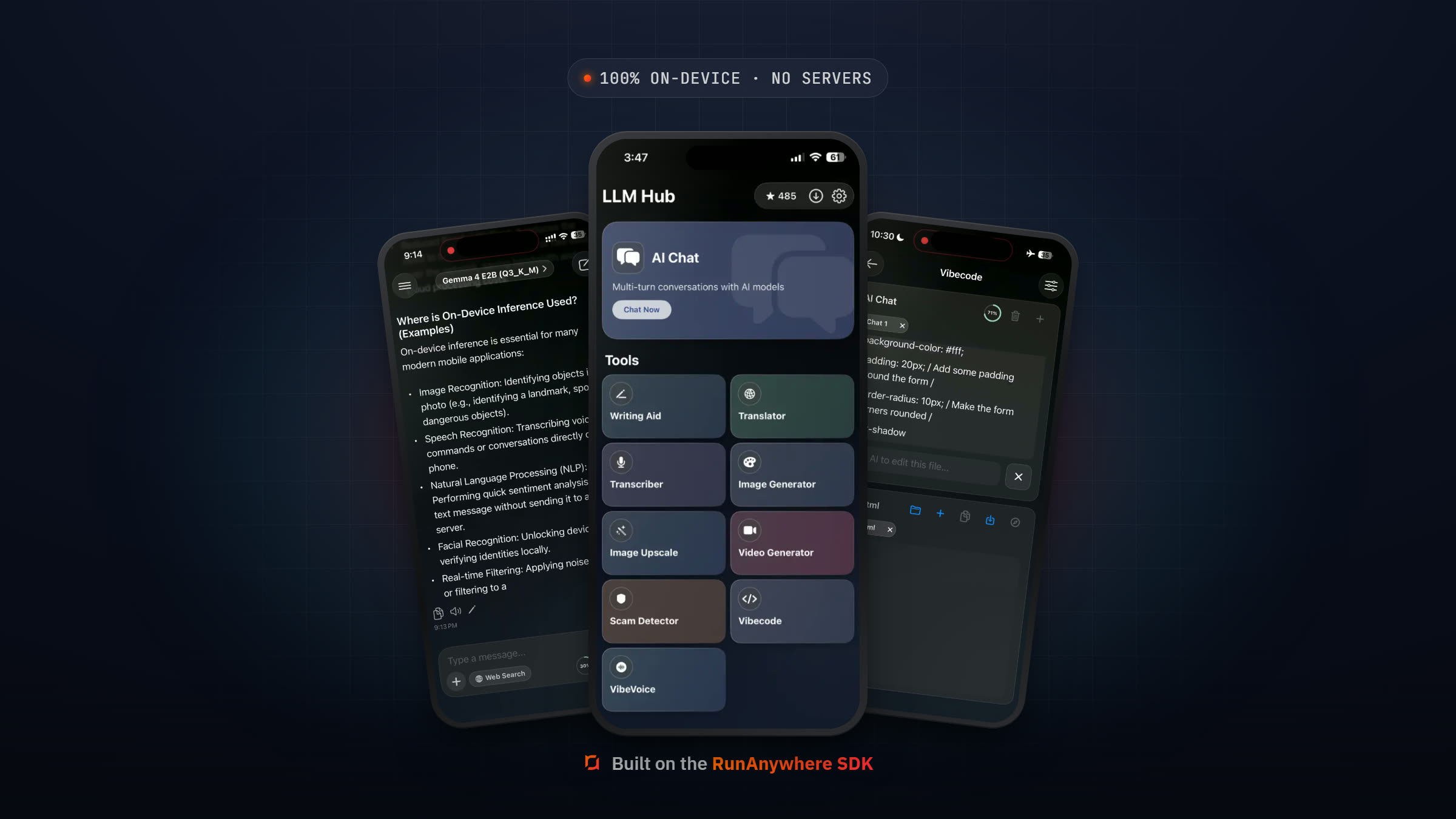
Then I found the RunAnywhere SDK. It wraps all of this — the LLM inference, the speech pipeline, the model management — into a Kotlin-native API that actually makes sense.
Here's what the setup looks like — straight from the starter example:
1// build.gradle.kts2dependencies {3 implementation("io.github.sanchitmonga22:runanywhere-sdk-android:0.20.7")4 implementation("io.github.sanchitmonga22:runanywhere-llamacpp-android:0.20.7")5 implementation("io.github.sanchitmonga22:runanywhere-onnx-android:0.20.7")6}
And initialization in your MainActivity:
1import com.runanywhere.sdk.public.RunAnywhere2import com.runanywhere.sdk.public.SDKEnvironment3import com.runanywhere.sdk.llm.llamacpp.LlamaCPP4import com.runanywhere.sdk.core.onnx.ONNX5import com.runanywhere.sdk.storage.AndroidPlatformContext6import com.runanywhere.sdk.foundation.bridge.extensions.CppBridgeModelPaths78class MainActivity : ComponentActivity() {9 override fun onCreate(savedInstanceState: Bundle?) {10 super.onCreate(savedInstanceState)1112 // Initialize platform context first — required on Android13 AndroidPlatformContext.initialize(this)14 RunAnywhere.initialize(environment = SDKEnvironment.DEVELOPMENT)1516 // Set model storage path17 val runanywherePath = File(filesDir, "runanywhere").absolutePath18 CppBridgeModelPaths.setBaseDirectory(runanywherePath)1920 // Register inference backends21 LlamaCPP.register(priority = 100) // For LLM + VLM (GGUF models)22 ONNX.register(priority = 100) // For STT/TTS (ONNX models)2324 // Register your models25 ModelService.registerDefaultModels()2627 setContent {28 KotlinStarterTheme { RunAnywhereApp() }29 }30 }31}
No JNI. No segfaults. No manual memory management.
Model registration and downloading is dead simple:
1import com.runanywhere.sdk.core.types.InferenceFramework2import com.runanywhere.sdk.public.extensions.Models.ModelCategory3import com.runanywhere.sdk.public.extensions.registerModel4import com.runanywhere.sdk.public.extensions.downloadModel5import com.runanywhere.sdk.public.extensions.loadLLMModel67// Register a model8RunAnywhere.registerModel(9 id = "qwen2.5-0.5b-instruct-q6_k",10 name = "Qwen 2.5 0.5B Instruct Q6_K",11 url = "https://huggingface.co/Triangle104/Qwen2.5-0.5B-Instruct-Q6_K-GGUF/resolve/main/qwen2.5-0.5b-instruct-q6_k.gguf",12 framework = InferenceFramework.LLAMA_CPP,13 modality = ModelCategory.LANGUAGE,14 memoryRequirement = 600_000_000,15 supportsLora = true16)1718// Download with progress tracking19RunAnywhere.downloadModel("qwen2.5-0.5b-instruct-q6_k")20 .collect { progress ->21 updateUI(progress.progress) // 0.0 to 1.022 }2324// Load and generate25RunAnywhere.loadLLMModel("qwen2.5-0.5b-instruct-q6_k")
And text generation? One line:
1import com.runanywhere.sdk.public.extensions.generateStream23RunAnywhere.generateStream("Explain dependency injection")4 .collect { token ->5 appendToChat(token) // Streaming, token by token6 }
That's the same thing that took me 800+ lines of JNI bridges and custom buffer pools.

Building The Full App: 7 AI Features in One Afternoon
Once the infrastructure pain was gone, I could actually focus on building features. The Kotlin starter example ships with seven working features out of the box:
Let me walk through the ones that surprised me.
1. Chat — The Table Stakes
Every on-device AI demo has chat. But the streaming implementation makes it feel way faster than it actually is.
Here's the actual code from the starter app — you can literally copy this:
1@Composable2fun ChatScreen(modelService: ModelService) {3 var messages by remember { mutableStateOf(listOf<ChatMessage>()) }4 var isGenerating by remember { mutableStateOf(false) }5 val scope = rememberCoroutineScope()67 fun sendMessage(prompt: String) {8 messages = messages + ChatMessage(prompt, isUser = true)910 scope.launch {11 isGenerating = true12 messages = messages + ChatMessage("", isUser = false)1314 try {15 RunAnywhere.generateStream(prompt)16 .collect { token ->17 val lastIndex = messages.lastIndex18 val current = messages[lastIndex]19 messages = messages.toMutableList().apply {20 set(lastIndex, current.copy(text = current.text + token))21 }22 }23 } catch (e: Exception) {24 messages = messages.toMutableList().apply {25 set(lastIndex, ChatMessage("Error: ${e.message}", isUser = false))26 }27 } finally {28 isGenerating = false29 }30 }31 }32}
At 8-12 tokens/second on Qwen 2.5, streaming makes the experience feel fast. Users don't wait for a full response — they read as it generates. The psychological difference between "wait 4 seconds for a paragraph" and "see words appear in real-time" is enormous.
2. Vision — The One Nobody Expected
This genuinely surprised me. SmolVLM (256M parameters) running on-device, understanding images:
1import com.runanywhere.sdk.public.extensions.VLM.VLMImage2import com.runanywhere.sdk.public.extensions.VLM.VLMGenerationOptions3import com.runanywhere.sdk.public.extensions.processImageStream45// Pick an image, describe it with AI — entirely on-device6val vlmImage = VLMImage.fromFilePath(imagePath)7val options = VLMGenerationOptions(maxTokens = 300)89RunAnywhere.processImageStream(vlmImage, "What's in this image?", options)10 .collect { token ->11 description += token12 }
A 256M vision model. On a phone. Describing images without sending them to any server. For healthcare apps handling patient photos, or field workers documenting equipment — the privacy implications are massive.
The VLM model needs two files (model + vision projector), and the SDK handles that:
1import com.runanywhere.sdk.public.extensions.Models.ModelFileDescriptor2import com.runanywhere.sdk.public.extensions.registerMultiFileModel34RunAnywhere.registerMultiFileModel(5 id = "smolvlm-256m-instruct",6 name = "SmolVLM 256M Instruct (Q8)",7 files = listOf(8 ModelFileDescriptor(9 url = "https://huggingface.co/ggml-org/SmolVLM-256M-Instruct-GGUF/resolve/main/SmolVLM-256M-Instruct-Q8_0.gguf",10 filename = "SmolVLM-256M-Instruct-Q8_0.gguf"11 ),12 ModelFileDescriptor(13 url = "https://huggingface.co/ggml-org/SmolVLM-256M-Instruct-GGUF/resolve/main/mmproj-SmolVLM-256M-Instruct-f16.gguf",14 filename = "mmproj-SmolVLM-256M-Instruct-f16.gguf"15 ),16 ),17 framework = InferenceFramework.LLAMA_CPP,18 modality = ModelCategory.MULTIMODAL,19 memoryRequirement = 365_000_00020)
3. Tool Calling — LLMs That Actually Do Things
This is where small models start feeling like agents:
1import com.runanywhere.sdk.public.extensions.LLM.RunAnywhereToolCalling2import com.runanywhere.sdk.public.extensions.LLM.ToolCallingOptions3import com.runanywhere.sdk.public.extensions.LLM.ToolDefinition4import com.runanywhere.sdk.public.extensions.LLM.ToolParameter5import com.runanywhere.sdk.public.extensions.LLM.ToolParameterType6import com.runanywhere.sdk.public.extensions.LLM.ToolValue78// Register a tool9RunAnywhereToolCalling.registerTool(10 definition = ToolDefinition(11 name = "get_weather",12 description = "Gets the current weather for a given location",13 parameters = listOf(14 ToolParameter(15 name = "location",16 type = ToolParameterType.STRING,17 description = "City name (e.g., 'San Francisco', 'Tokyo')",18 required = true19 )20 ),21 category = "Utility"22 ),23 executor = { args ->24 val location = args["location"]?.stringValue ?: "Unknown"25 // Hit your data source — local DB, sensor, cached API, whatever26 mapOf(27 "location" to ToolValue.string(location),28 "temperature_celsius" to ToolValue.number(22.0),29 "condition" to ToolValue.string("Partly cloudy")30 )31 }32)3334// Run it — the SDK handles the full orchestration loop35val result = RunAnywhereToolCalling.generateWithTools(36 prompt = "What's the weather in Tokyo?",37 options = ToolCallingOptions(38 maxToolCalls = 3,39 autoExecute = true,40 temperature = 0.7f,41 maxTokens = 51242 )43)44// result.text = "The weather in Tokyo is 22°C and partly cloudy."45// result.toolCalls = [ToolCall(toolName="get_weather", arguments={location: "Tokyo"})]46// result.toolResults = [ToolResult(success=true, result={...})]
A 0.5B parameter model generating structured tool calls. Not perfectly every time — but reliably enough for real use cases like weather, calculations, and time queries.
4. LoRA — Swap Personalities Without Redownloading
This one is underrated. LoRA adapters let you fine-tune a base model's behavior with tiny additional files:
1import com.runanywhere.sdk.public.extensions.LLM.LoRAAdapterConfig2import com.runanywhere.sdk.public.extensions.loadLoraAdapter3import com.runanywhere.sdk.public.extensions.removeLoraAdapter4import com.runanywhere.sdk.public.extensions.clearLoraAdapters5import com.runanywhere.sdk.public.extensions.getLoadedLoraAdapters67// Load the base model (must support LoRA)8RunAnywhere.loadLLMModel("qwen2.5-0.5b-instruct-q6_k")910// Add a domain-specific adapter11RunAnywhere.loadLoraAdapter(12 LoRAAdapterConfig(13 path = "/path/to/reasoning-logic-Q8_0.gguf",14 scale = 1.0f // 0.0 = base model, 2.0 = max adapter influence15 )16)1718// Now the model reasons better about logic problems19// Swap to a different adapter anytime:20RunAnywhere.clearLoraAdapters()21RunAnywhere.loadLoraAdapter(22 LoRAAdapterConfig(path = "/path/to/medical-qa-Q8_0.gguf", scale = 0.8f)23)2425// Check what's loaded26val loaded = RunAnywhere.getLoadedLoraAdapters()
One base model. Multiple domain-specific adapters. The starter app ships with four: Code Assistant, Reasoning Logic, Medical QA, and Creative Writing. Users download the ~500MB base once, then ~20MB adapters for each use case.

The Numbers That Actually Matter
After building the full app, I benchmarked everything on three devices representing different tiers:
Performance Benchmarks
| Metric | Budget Phone | Mid-Range | Flagship |
|---|---|---|---|
| Device | Redmi Note 12 | Pixel 7a | Galaxy S24 |
| RAM | 4GB | 8GB | 12GB |
| SoC | Snapdragon 4 Gen 1 | Tensor G2 | Snapdragon 8 Gen 3 |
| LLM (Qwen 2.5 0.5B) | 8-10 tok/s | 15-20 tok/s | 25-35 tok/s |
| STT (Whisper Tiny) | ~1.2s for 5s audio | ~0.6s | ~0.3s |
| TTS (Piper) | ~300ms | ~150ms | ~80ms |
| Model Load Time | ~4s | ~2s | ~1s |
| RAM Usage (all models) | ~1.1GB | ~1.1GB | ~1.1GB |
| Battery (10min voice) | -6% | -4% | -2% |
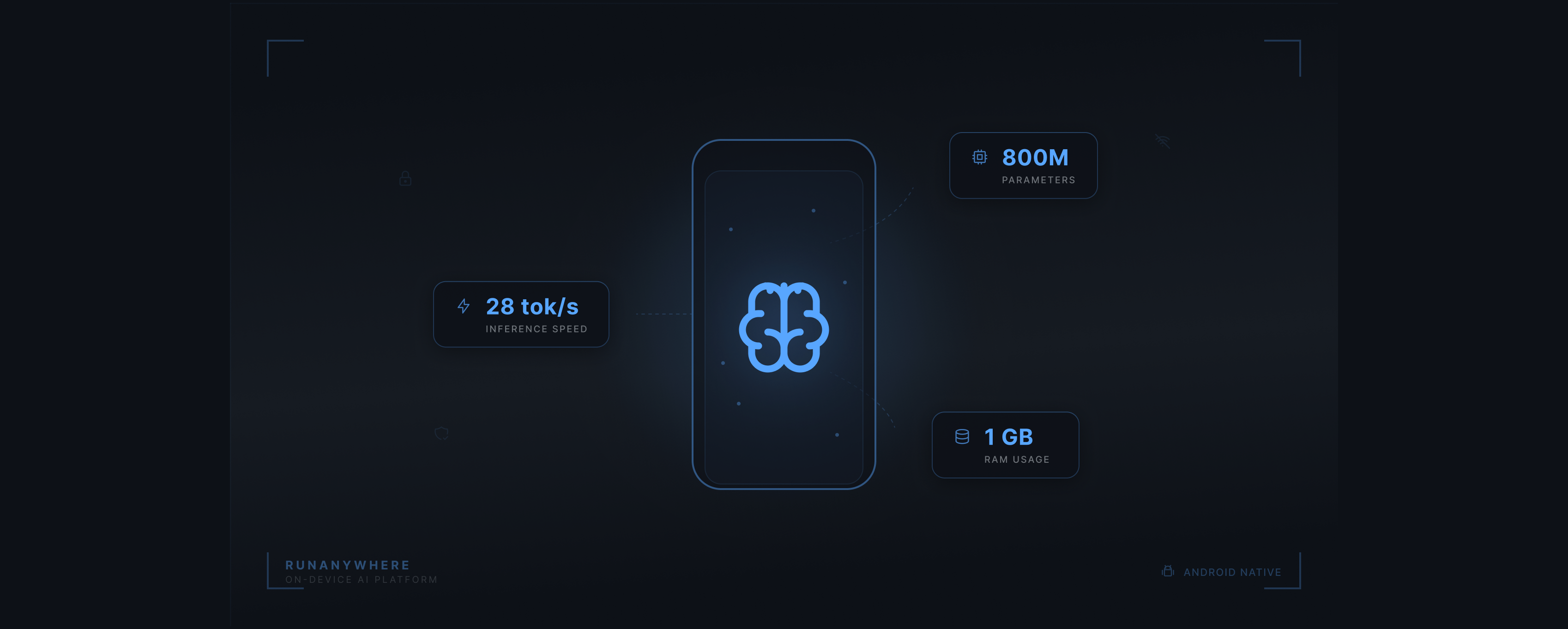
The key insight: Qwen 2.5 0.5B runs usably across all three tiers. The budget phone isn't fast, but 8-10 tokens/second with streaming is genuinely usable for short interactions.

Cost Comparison: Cloud vs On-Device
This is the number that makes product managers sit up:
1Cloud API (GPT-4 class):2 1M users x 10 queries/day x $0.01/query = $100,000/day3 Monthly: $3,000,00045Cloud API (GPT-3.5 class):6 1M users x 10 queries/day x $0.002/query = $20,000/day7 Monthly: $600,00089On-Device (RunAnywhere):10 SDK license + model hosting: varies11 Per-inference cost: $0.0012 Monthly inference cost: $0
When your inference cost is literally zero the unit economics change fundamentally. That's why startups in India and Africa are building on-device first. Not because it's trendy. Because they can't afford $600K/month in API costs for their user base.
What I'd Do Differently (Lessons Learned)
If I were starting over, here's my checklist:
For Beginners:
- Don't compile llama.cpp yourself. Use an SDK. Life's too short for JNI debugging.
- Start with Qwen 2.5 0.5B or SmolLM2 360M, not a 7B model. Get something working, then scale up.
- Test on a budget phone first. If it works on 4GB RAM, it works everywhere.
- Implement streaming from day one. Batch responses feel broken on mobile.
For Mid-Level Developers:
- Model management is 60% of the work. Downloads, storage, updates, validation — budget time for this.
- Use Q4_K_M to Q6_K quantization. It's the sweet spot between quality and size for mobile.
- Respect the thermal state. Monitor
PowerManagerthermal status and throttle gracefully. - Voice pipelines need overlap, not sequence. Start TTS while LLM is still generating.
For Senior/Expert Developers:
- LoRA adapters beat multiple models. One base model + small adapters = less storage, more flexibility.
- KV cache is your hidden memory enemy. At 2K context, even a 0.5B model needs significant cache. Design your UX to keep conversations short.
- ONNX for speech, GGUF for text. Whisper runs better through ONNX Runtime; LLMs run better through llama.cpp. The RunAnywhere SDK uses exactly this approach —
LlamaCPP.register()for text,ONNX.register()for speech. - Offline-first isn't optional. 2.6 billion people worldwide have unreliable internet. Design your model delivery, caching, and fallback for disconnected use.

What's Next: The Capabilities Nobody's Talking About
On-device AI isn't just chat. The most interesting applications are the ones that can't exist with cloud APIs:
- Healthcare: Patient notes transcribed and summarized on the doctor's phone. HIPAA-compliant by architecture, not by audit. No PHI ever leaves the device.
- Education: AI tutors that work in rural schools with no internet. Already being prototyped in Nigeria and Kenya.
- Accessibility: Real-time speech-to-text for the hearing impaired, working offline, with zero latency.
- Field Work: Equipment inspection with vision AI that works inside a mine shaft or on an oil rig. No signal required.
- Privacy-First Banking: Transaction analysis and fraud detection running locally in European markets where GDPR makes cloud processing a legal minefield.
The hardware is getting better fast. The Snapdragon 8 Gen 3 has a dedicated NPU doing 45 TOPS. In two years, even budget phones will have the silicon to run 3B models smoothly.
The question isn't whether on-device AI will be standard. It's whether you'll be ready when it is.
Getting Started
If this resonated and you want to skip the two weeks of pain I went through:
- Clone the Kotlin starter example
- Open in Android Studio, build, run
- It downloads the models on first launch (~500MB total for LLM + STT + TTS)
- Every feature in this article is implemented and working
The starter app uses the RunAnywhere SDK:
1// build.gradle.kts2dependencies {3 implementation("io.github.sanchitmonga22:runanywhere-sdk-android:0.20.7")4 implementation("io.github.sanchitmonga22:runanywhere-llamacpp-android:0.20.7")5 implementation("io.github.sanchitmonga22:runanywhere-onnx-android:0.20.7")6}
Fair warning: once you see an LLM running entirely on a budget phone with no cloud dependency, it's hard to go back to paying per token.
If this helped you understand on-device AI better, follow me for Part 2 where I go deeper into building a fully offline voice agent with tool calling — the complete pipeline from microphone to spoken response.
Tags: android-development, on-device-ai, kotlin, jetpack-compose, machine-learning