RunAnywhere Flutter SDK Part 4: Building a Voice Assistant with VAD
A Complete Voice Assistant Running Entirely On-Device
This is Part 4 of our RunAnywhere Flutter SDK tutorial series:
- Chat with LLMs — Project setup and streaming text generation
- Speech-to-Text — Real-time transcription with Whisper
- Text-to-Speech — Natural voice synthesis with Piper
- Voice Pipeline (this post) — Full voice assistant with VAD
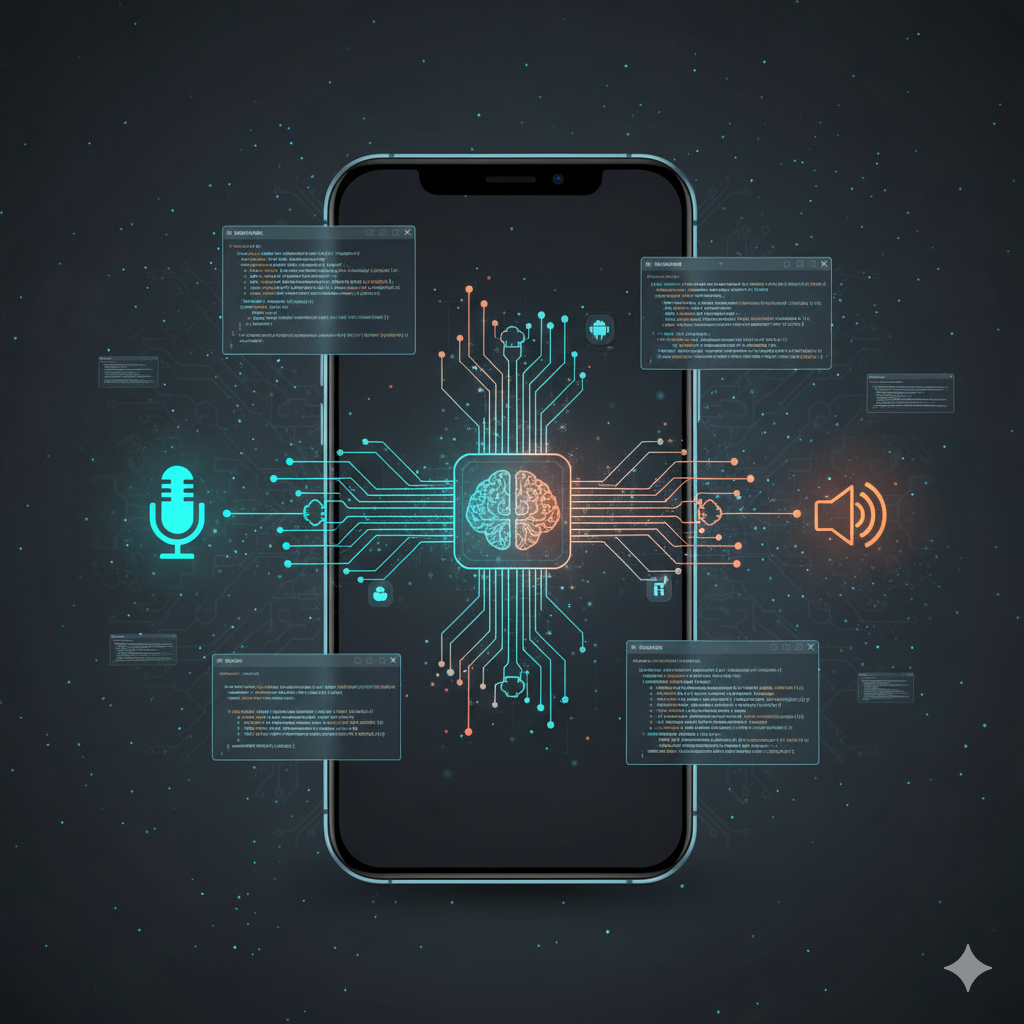
This is the culmination of the series: a voice assistant that automatically detects when you stop speaking, processes your request with an LLM, and responds with synthesized speech—all running on-device across iOS and Android.
The key feature is Voice Activity Detection (VAD): the assistant knows when you've finished speaking without requiring a button press.
Prerequisites
- Complete Parts 1-3 to have all three model types (LLM, STT, TTS) working in your project
- Physical device required — the pipeline uses microphone input
- All three models downloaded (~390MB total: 250 + 75 + 65)
The Voice Pipeline Flow
1┌─────────────────────────────────────────────────────────────────┐2│ Voice Assistant Pipeline │3├─────────────────────────────────────────────────────────────────┤4│ │5│ ┌─────────┐ ┌─────────┐ ┌─────────┐ ┌─────────┐ │6│ │ Record │ -> │ STT │ -> │ LLM │ -> │ TTS │ │7│ │ + VAD │ │ Whisper │ │ LFM2 │ │ Piper │ │8│ └─────────┘ └─────────┘ └─────────┘ └─────────┘ │9│ │ │ │10│ │ Auto-stop when │ │11│ └────────── silence detected ────────────────┘ │12│ │13└─────────────────────────────────────────────────────────────────┘
Pipeline State Machine
Create lib/features/voice/voice_pipeline.dart:
1import 'dart:async';2import 'dart:typed_data';3import 'package:flutter/foundation.dart';4import 'package:runanywhere/runanywhere.dart';5import '../../services/audio_recording_service.dart';6import '../../services/audio_playback_service.dart';78enum PipelineState {9 idle,10 listening,11 transcribing,12 thinking,13 speaking,14}1516class VoicePipeline extends ChangeNotifier {17 final AudioRecordingService _audioService = AudioRecordingService();18 final AudioPlaybackService _playbackService = AudioPlaybackService();1920 PipelineState _state = PipelineState.idle;21 String _transcribedText = '';22 String _responseText = '';23 String? _errorMessage;24 Timer? _vadTimer;2526 // VAD thresholds (tune these for your environment)27 static const double speechThreshold = 0.02; // Level to detect speech start28 static const double silenceThreshold = 0.01; // Level to detect speech end29 static const double silenceDuration = 1.5; // Seconds of silence before auto-stop3031 // VAD state32 bool _isSpeechDetected = false;33 DateTime? _silenceStartTime;3435 PipelineState get state => _state;36 String get transcribedText => _transcribedText;37 String get responseText => _responseText;38 String? get errorMessage => _errorMessage;3940 Future<void> start() async {41 if (_state != PipelineState.idle) return;4243 // Ensure all models are loaded44 final isReady = await _isReady();45 if (!isReady) {46 _errorMessage = 'Models not loaded. Please load LLM, STT, and TTS first.';47 notifyListeners();48 return;49 }5051 _state = PipelineState.listening;52 _transcribedText = '';53 _responseText = '';54 _errorMessage = null;55 notifyListeners();5657 try {58 await _audioService.startRecording();5960 // Start energy-based VAD monitoring61 _startVADMonitoring();6263 } catch (e) {64 _errorMessage = e.toString();65 _state = PipelineState.idle;66 notifyListeners();67 }68 }6970 void _startVADMonitoring() {71 _isSpeechDetected = false;72 _silenceStartTime = null;7374 _vadTimer = Timer.periodic(75 const Duration(milliseconds: 100),76 (_) => _checkAudioLevel(),77 );78 }7980 void _checkAudioLevel() {81 final amplitude = _audioService.getAmplitude();8283 // Detect speech start84 if (!_isSpeechDetected && amplitude > speechThreshold) {85 _isSpeechDetected = true;86 _silenceStartTime = null;87 debugPrint('Speech detected');88 }8990 // Detect speech end (only after speech was detected)91 if (_isSpeechDetected) {92 if (amplitude < silenceThreshold) {93 _silenceStartTime ??= DateTime.now();9495 final elapsed = DateTime.now().difference(_silenceStartTime!).inMilliseconds;96 if (elapsed >= (silenceDuration * 1000).toInt()) {97 debugPrint('Auto-stopping after silence');98 _stopVADMonitoring();99 _processRecording();100 }101 } else {102 _silenceStartTime = null; // Speech resumed103 }104 }105 }106107 void _stopVADMonitoring() {108 _vadTimer?.cancel();109 _vadTimer = null;110 }111112 Future<void> stopManually() async {113 _stopVADMonitoring();114 await _processRecording();115 }116117 Future<void> _processRecording() async {118 if (_state != PipelineState.listening) return;119120 // 1. Stop recording and get audio121 _state = PipelineState.transcribing;122 notifyListeners();123124 try {125 final audioData = await _audioService.stopRecording();126127 if (audioData == null || audioData.isEmpty) {128 _state = PipelineState.idle;129 notifyListeners();130 return;131 }132133 // 2. Transcribe134 final text = await RunAnywhere.transcribe(audioData);135 _transcribedText = text;136 notifyListeners();137138 if (text.trim().isEmpty) {139 _state = PipelineState.idle;140 notifyListeners();141 return;142 }143144 // 3. Generate LLM response145 _state = PipelineState.thinking;146 notifyListeners();147148 final prompt = '''149You are a helpful voice assistant. Keep responses SHORT (2-3 sentences max).150Be conversational and friendly.151152User: $text153Assistant:''';154155 final options = LLMGenerationOptions(156 maxTokens: 100,157 temperature: 0.7,158 );159160 final streamResult = await RunAnywhere.generateStream(prompt, options: options);161162 String response = '';163 await for (final token in streamResult.stream) {164 response += token;165 _responseText = response;166 notifyListeners();167 }168169 // 4. Speak the response170 _state = PipelineState.speaking;171 notifyListeners();172173 final ttsResult = await RunAnywhere.synthesize(174 response,175 rate: 1.0,176 pitch: 1.0,177 volume: 1.0,178 );179180 await _playbackService.playFloat32Audio(181 ttsResult.samples,182 ttsResult.sampleRate,183 );184185 // Wait for audio to finish (approximate)186 await Future.delayed(Duration(187 milliseconds: (ttsResult.duration * 1000).toInt() + 500,188 ));189190 } catch (e) {191 debugPrint('Pipeline error: $e');192 _errorMessage = e.toString();193 }194195 _state = PipelineState.idle;196 notifyListeners();197 }198199 Future<bool> _isReady() async {200 return RunAnywhere.isModelLoaded &&201 RunAnywhere.isSTTModelLoaded &&202 RunAnywhere.isTTSVoiceLoaded;203 }204205 @override206 void dispose() {207 _stopVADMonitoring();208 _audioService.dispose();209 super.dispose();210 }211}
Voice Pipeline UI
Create lib/features/voice/voice_assistant_view.dart:
1import 'package:flutter/material.dart';2import 'package:provider/provider.dart';3import 'voice_pipeline.dart';45class VoiceAssistantView extends StatelessWidget {6 const VoiceAssistantView({super.key});78 @override9 Widget build(BuildContext context) {10 return ChangeNotifierProvider(11 create: (_) => VoicePipeline(),12 child: const _VoiceAssistantContent(),13 );14 }15}1617class _VoiceAssistantContent extends StatelessWidget {18 const _VoiceAssistantContent();1920 @override21 Widget build(BuildContext context) {22 final pipeline = context.watch<VoicePipeline>();2324 return Scaffold(25 appBar: AppBar(26 title: const Text('Voice Assistant'),27 ),28 body: Padding(29 padding: const EdgeInsets.all(24),30 child: Column(31 children: [32 // State indicator33 _StateIndicator(state: pipeline.state),3435 const SizedBox(height: 24),3637 // Error message38 if (pipeline.errorMessage != null)39 Container(40 padding: const EdgeInsets.all(12),41 decoration: BoxDecoration(42 color: Colors.red.withOpacity(0.1),43 borderRadius: BorderRadius.circular(8),44 ),45 child: Text(46 pipeline.errorMessage!,47 style: const TextStyle(color: Colors.red),48 ),49 ),5051 // Transcription52 if (pipeline.transcribedText.isNotEmpty)53 _ConversationBubble(54 label: 'You said:',55 text: pipeline.transcribedText,56 color: Colors.blue,57 ),5859 const SizedBox(height: 16),6061 // Response62 if (pipeline.responseText.isNotEmpty)63 _ConversationBubble(64 label: 'Assistant:',65 text: pipeline.responseText,66 color: Colors.green,67 ),6869 const Spacer(),7071 // Main button72 _MainButton(73 state: pipeline.state,74 onPressed: () {75 if (pipeline.state == PipelineState.idle) {76 pipeline.start();77 } else if (pipeline.state == PipelineState.listening) {78 pipeline.stopManually();79 }80 },81 ),8283 const SizedBox(height: 16),8485 Text(86 _getStateHint(pipeline.state),87 style: TextStyle(88 color: Colors.grey[600],89 fontSize: 12,90 ),91 ),92 ],93 ),94 ),95 );96 }9798 String _getStateHint(PipelineState state) {99 switch (state) {100 case PipelineState.idle:101 return 'Tap to start';102 case PipelineState.listening:103 return 'Stops automatically when you pause';104 case PipelineState.transcribing:105 return 'Converting speech to text...';106 case PipelineState.thinking:107 return 'Generating response...';108 case PipelineState.speaking:109 return 'Playing audio response...';110 }111 }112}113114class _StateIndicator extends StatelessWidget {115 final PipelineState state;116117 const _StateIndicator({required this.state});118119 @override120 Widget build(BuildContext context) {121 return Row(122 mainAxisAlignment: MainAxisAlignment.center,123 children: [124 Container(125 width: 12,126 height: 12,127 decoration: BoxDecoration(128 shape: BoxShape.circle,129 color: _getStateColor(),130 ),131 ),132 const SizedBox(width: 8),133 Text(134 _getStateText(),135 style: const TextStyle(136 fontSize: 16,137 fontWeight: FontWeight.w500,138 ),139 ),140 ],141 );142 }143144 Color _getStateColor() {145 switch (state) {146 case PipelineState.idle:147 return Colors.grey;148 case PipelineState.listening:149 return Colors.red;150 case PipelineState.transcribing:151 case PipelineState.thinking:152 return Colors.orange;153 case PipelineState.speaking:154 return Colors.green;155 }156 }157158 String _getStateText() {159 switch (state) {160 case PipelineState.idle:161 return 'Ready';162 case PipelineState.listening:163 return 'Listening...';164 case PipelineState.transcribing:165 return 'Transcribing...';166 case PipelineState.thinking:167 return 'Thinking...';168 case PipelineState.speaking:169 return 'Speaking...';170 }171 }172}173174class _ConversationBubble extends StatelessWidget {175 final String label;176 final String text;177 final Color color;178179 const _ConversationBubble({180 required this.label,181 required this.text,182 required this.color,183 });184185 @override186 Widget build(BuildContext context) {187 return Container(188 width: double.infinity,189 padding: const EdgeInsets.all(16),190 decoration: BoxDecoration(191 color: color.withOpacity(0.1),192 borderRadius: BorderRadius.circular(12),193 ),194 child: Column(195 crossAxisAlignment: CrossAxisAlignment.start,196 children: [197 Text(198 label,199 style: TextStyle(200 color: Colors.grey[600],201 fontSize: 12,202 ),203 ),204 const SizedBox(height: 4),205 Text(206 text,207 style: const TextStyle(fontSize: 16),208 ),209 ],210 ),211 );212 }213}214215class _MainButton extends StatelessWidget {216 final PipelineState state;217 final VoidCallback onPressed;218219 const _MainButton({220 required this.state,221 required this.onPressed,222 });223224 @override225 Widget build(BuildContext context) {226 final isActive = state == PipelineState.idle || state == PipelineState.listening;227228 return GestureDetector(229 onTap: isActive ? onPressed : null,230 child: Container(231 width: 80,232 height: 80,233 decoration: BoxDecoration(234 shape: BoxShape.circle,235 color: state == PipelineState.idle ? Colors.blue : Colors.red,236 ),237 child: Icon(238 state == PipelineState.idle ? Icons.mic : Icons.stop,239 size: 36,240 color: Colors.white,241 ),242 ),243 );244 }245}
Best Practices
1. Preload Models During Onboarding
1// Download and load all models sequentially2await modelService.downloadAndLoadLLM();3await modelService.downloadAndLoadSTT();4await modelService.downloadAndLoadTTS();
2. Handle Memory Pressure
1// Unload when not needed2await RunAnywhere.unloadModel();3await RunAnywhere.unloadSTTModel();4await RunAnywhere.unloadTTSVoice();
3. Audio Format Summary
| Component | Sample Rate | Format | Channels |
|---|---|---|---|
| Recording | 16,000 Hz | Int16 | 1 |
| Whisper STT | 16,000 Hz | Int16 | 1 |
| Piper TTS Output | 22,050 Hz | Float32 | 1 |
| Audio Playback | Any | WAV/Int16 | 1-2 |
Always match audio formats!
4. Prevent Concurrent Operations
1Future<void> start() async {2 if (_state != PipelineState.idle) return; // Prevent double-starts3 // ...4}
5. Tune VAD for Your Environment
The default thresholds work for quiet environments. Adjust for noisy settings:
1static const double speechThreshold = 0.05; // Higher for noisy environments2static const double silenceThreshold = 0.02; // Higher for noisy environments3static const double silenceDuration = 2.0; // Longer pause tolerance
6. Check Model State Before Operations
1bool get isVoiceAgentReady {2 return RunAnywhere.isModelLoaded &&3 RunAnywhere.isSTTModelLoaded &&4 RunAnywhere.isTTSVoiceLoaded;5}
Models Reference
| Type | Model ID | Size | Notes |
|---|---|---|---|
| LLM | lfm2-350m-q4_k_m | ~250MB | LiquidAI, fast, efficient |
| STT | sherpa-onnx-whisper-tiny.en | ~75MB | English |
| TTS | vits-piper-en_US-lessac-medium | ~65MB | US English |
Completed Voice Assistant screen

Conclusion
You've built a complete voice assistant that:
- Listens with automatic speech detection
- Transcribes using on-device Whisper
- Thinks with a local LLM
- Responds with natural TTS
All processing happens on-device. No data ever leaves the phone. No API keys. No cloud costs. And it works identically on both iOS and Android.
This is the future of private, cross-platform AI applications.
Complete Source Code
The full source code is available on GitHub:
Includes:
- Complete Flutter app with all features
- Provider-based state management
- Platform-specific audio handling
- Reusable components and design system
Built-in VoiceSession API
For a higher-level API, RunAnywhere also provides a built-in VoiceSession that handles the full pipeline with events:
1final session = await RunAnywhere.startVoiceSession(2 config: VoiceSessionConfig(3 autoDetectSilence: true,4 silenceThreshold: 1.5,5 ),6);78session.events.listen((event) {9 if (event is VoiceSessionTranscribed) {10 debugPrint('User said: ${event.text}');11 } else if (event is VoiceSessionResponded) {12 debugPrint('AI response: ${event.text}');13 }14});
This is useful when you want the SDK to manage the full STT, LLM, and TTS pipeline for you without implementing each step manually.
Resources
Frequently Asked Questions
"Models not loaded" when I tap to start — what do I need to do?
In what order should I load the LLM, STT, and TTS models?
AudioRecordingService has no getAmplitude() — how do I implement VAD?
VAD stops too early or keeps recording after I stop speaking.
I hear no audio during "Playing audio response...".
Where does the provider package come from?
Does the voice pipeline work on simulator/emulator?
How much RAM does the full pipeline use with all three models?
The ttsResult.duration causes an error — what is the correct property?
Questions? Open an issue on GitHub or reach out on Twitter/X.